Rodin Handbook

This work is sponsored by the Deploy Project

This work is licensed under a Creative Commons Attribution 3.0 Unported License
 |
 |
 |
User Manual for Rodin v.2.3 |  |
 |
 |

4.3.12 How to save a Context or a Machine
Once a machine or context is (partially) edited, you can save it by using the save button as indicated in Figure 4.3.
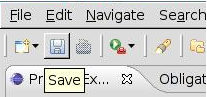
Figure 4.3: Save a context or a machine
Once a “Save" is done, three tools are called automatically, these are:
This can some time. A “Progress" window can be opened at the bottom right of the screen to see which tools are working (most of the time, it will be the auto-prover).
|
|
|
|
|
|