Rodin Handbook

This work is sponsored by the Deploy Project

This work is licensed under a Creative Commons Attribution 3.0 Unported License
 |
 |
 |
User Manual for Rodin v.2.3 |  |
 |
 |

4.3.7 How to export an Event-B Project?
Exporting a project is the operation by which you can construct automatically a “zip" file containing the entire project. Such a file is ready to be sent by mail. Once received, an exported project can be imported (next section). It then becomes a project like the other ones which were created locally. In order to export a project, first select it, and then click on File  Export... from the menubar as indicated in Figure 4.2.
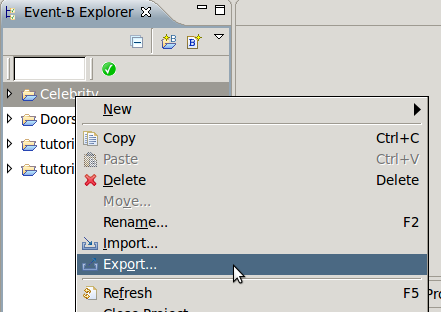
The Export wizard will pop up. In this window, select General Archive File and click the Next  button. Specify the path and name of the archive file into which you want to export your project and finally click Finish. This menu sequence belongs to Eclipse (as well as the various options). For more information, refer to the Eclipse documentation.
|
|
|
|
|
|