Rodin Handbook

This work is sponsored by the Deploy Project

This work is licensed under a Creative Commons Attribution 3.0 Unported License
 |
 |
 |
User Manual for Rodin v.2.3 |  |
 |
 |

4.3.6 How to remove a Event-B Project?
In order to remove a project, first select it on the Project Explorer and then right click with the mouse. The contextual menu will appear on the screen as indicated in Figure 4.1.
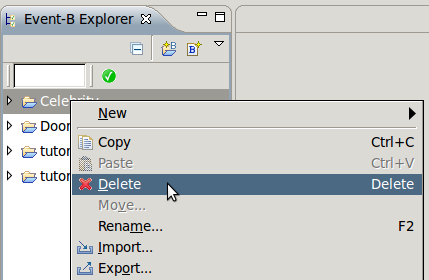
Figure 4.1: Removing a Event-B Project
You simply click on Delete and your project will be deleted (after you confirm it in the window that pops up). It is then removed from the Project Explorer.
|
|
|
|
|
|